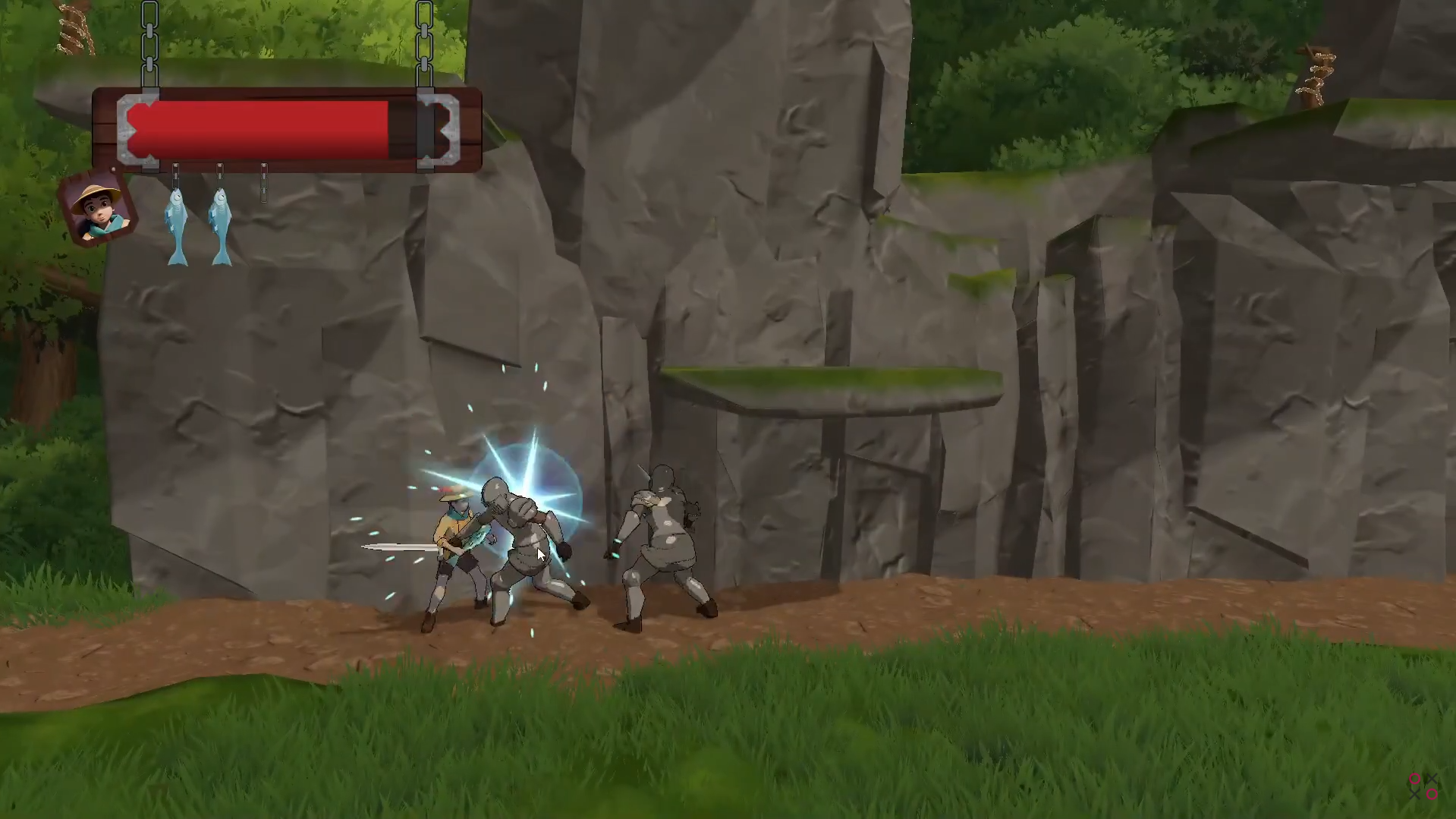
It’s a fish, Your Majesty!
I was responsible for the UI manager, Respawn/Checkpoint system and then a few small tasks such as the death animation for enemies which was heavily inspired by super smash bros where the enemy flickers, waits a few milliseconds and then goes flying off screen.
Respawn/Checkpoint System
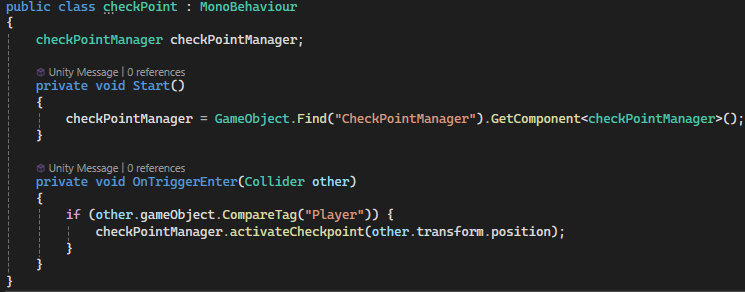
The checkpoint system was very simple, essentially just a stack that holds vectors. When the player collides with a checkpoint, the checkpoint checks if it collided with a player and if it did it calls the checkpointmanagers activateCheckpoint() function.
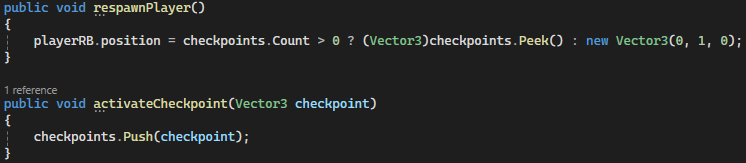
The activateCheckpoint() function just pushes the player's position onto a stack that we then can teleport the player to when needed, this is done in the respawnPlayer() function which checks if there are any checkpoints in the stack. If there are checkpoints in the stack it takes the newest one and teleports the player to that position. If the checkpoints stack is empty then it teleports the player to 0,1,0.
Death Animation
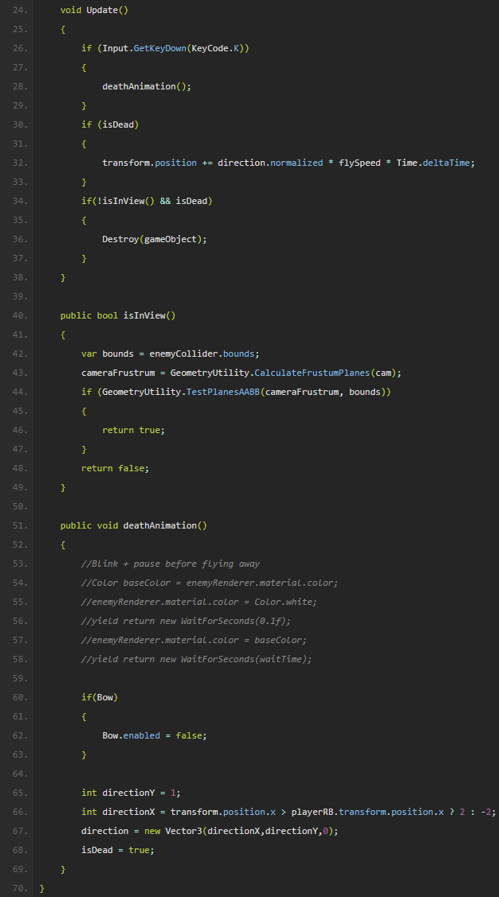
The death animation works by moving the enemy away from the player and slightly up until they are off screen and then they are deleted. When the animation first starts we check which way it should fly by comparing its position on the X axis to the player's position and then we flip the isDead bool to be true. In the update we check if isDead is true and if it is we move the enemy in the direction that we calculated earlier. To know when the enemy should be deleted we take the bounds of the enemy, Calculate the frustum planes from our camera. And then check if our bounding box is inside the frustum planes.
Conclusion and Takeaways
This project for me was a bit of a disappointment because I got really really sick in the middle of it so I couldn't do a lot of work and since the time frame for this assignment already was pretty small, I had very limited time to actually work on the project. But I am really proud that I got the enemies to despawn after being off screen since it was my first time working with a viewing frustum. I could have taken the easy way and just used a timer but now this will work no matter how zoomed in or out the player is which can be good if we want to work on this project in the future.